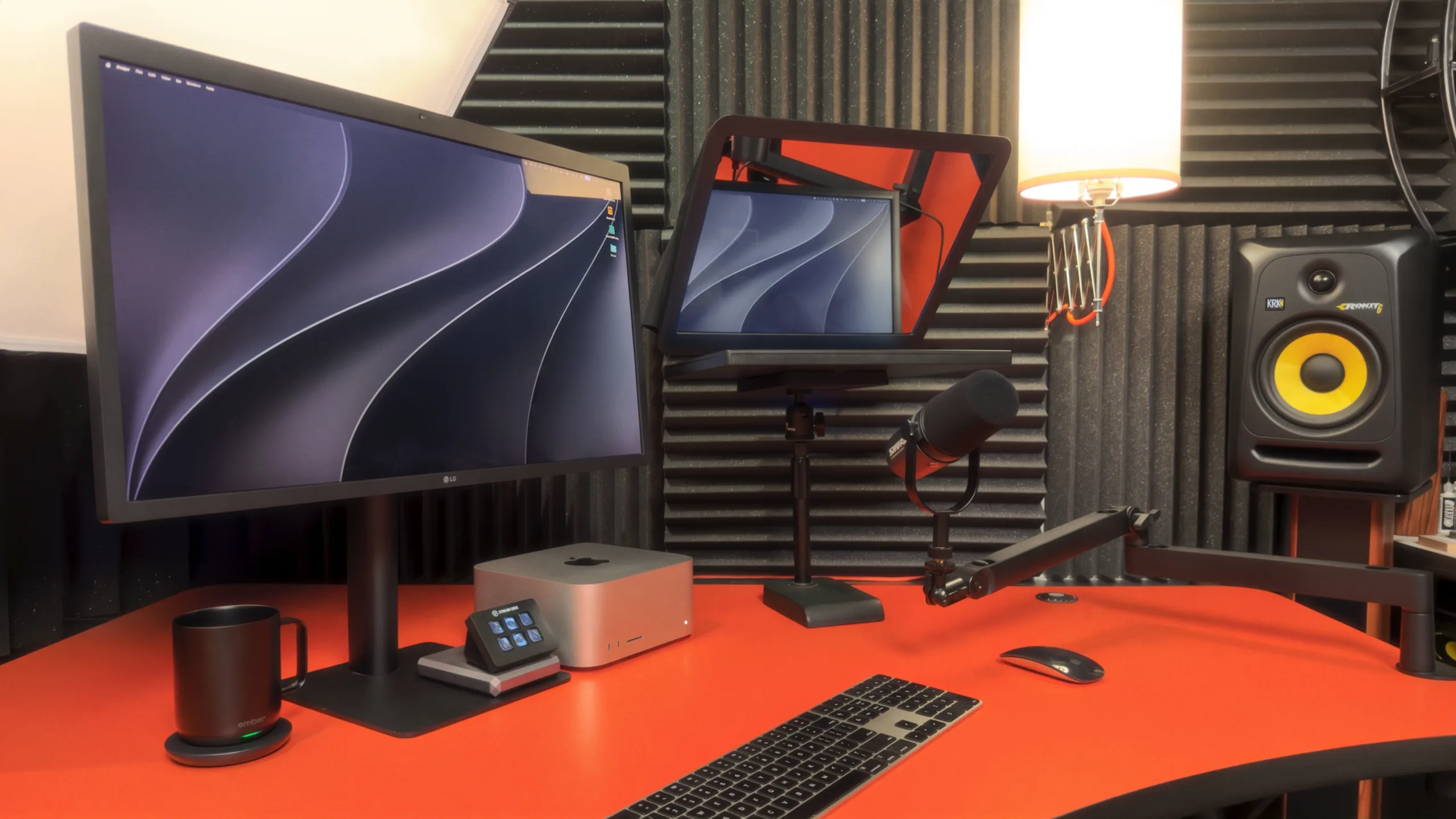
At least once a week, someone asks me about my video call setup.
We'll be a few minutes into a Zoom call, and they'll stop. “Wait. What are you using for lighting? Your video is so sharp.” Or, “How is your audio this clear? It sounds like you're sitting right next to me.”
I love those moments. Partly because I'm a gear nerd who's been working in audio and video since the mid-80s. But mostly because of what happens next. The other person leans in. They're a little more curious, a little more relaxed. And we haven't even gotten to the reason for the call yet.
I'm grateful for those questions, because they made me realize something. The gear only matters because of what it does for the connection. And if you're a coach, a consultant, or anyone who does their most important work over a webcam, that connection is your whole business.
So I want to share why looking and sounding your best matters so much, and then walk you through exactly what I use, at two different price points.
People judge you by your microphone (whether they mean to or not)
In 2020, Brian Scholl, a cognitive scientist at Yale, noticed something odd during a faculty Zoom meeting. He found himself agreeing with a colleague he usually disagreed with. Afterward, he figured out why. The colleague he usually sided with was using the junky built-in microphone on an old laptop, while the other one had called in from a professional-grade home recording studio.
Scholl suspected the sound quality, and not the content of the arguments, had swayed him. So he tested it. His team recorded speakers reading scripts as a job applicant, a potential romantic partner, and a person describing a car accident. Some recordings were clear. Others were manipulated to sound tinny, like a bad laptop mic. More than 5,100 people listened and rated the speakers.
The results were consistent across every script and every voice. Participants rated the tinny voices as less hirable, datable, credible, and intelligent, even though the words were identical.
In other words, a worse microphone made listeners trust the exact same person less.
Scholl put it this way in Scientific American:
Everyone is familiar with how they look on a video call, but we don't typically take into account how we sound to others. And that sound can drive people's impressions of how intelligent and credible you are.
You can read the full article here: To Win Trust and Admiration, Fix Your Microphone.
Why this matters even more for coaches
If a bad mic can sway a job interview, imagine what it does inside a coaching session.
Coaching runs on trust. Your client has to feel safe enough to say the hard things out loud. And a lot of that safety comes from nonverbal cues you may not even notice you're sending. A nod at the right moment. A pause that says, “Take your time.” The look on your face when they finally describe what's been draining them.
Video calls make all of that harder. Stanford professor Jeremy Bailenson, who studies virtual interaction, describes the problem as cognitive load. In person, we send and read nonverbal signals without thinking about it. On video, we have to work harder to send and receive them. That means your client is already spending mental energy just to read you.
Now add dark, poorly-lit video and muffled, echoing audio. Every bit of that friction is distracting your client, taking their attention out of the conversation.
Therapists who work over video report the same thing. Technical problems like lagging connections, frozen screens, and audio issues interrupt those important moments, and require repair work in the relationship afterward. A client who was just about to open up gets pulled out of the moment by “Sorry, you cut out. Can you say that again?”
Great audio and video remove that friction. Your client stops noticing the technology and starts noticing you. They see your expressions clearly. They hear the warmth in your voice. And when you look them in the eye (more on how to do that below), they feel it.
For a coach, that translates to instant credibility and trust. You come across as someone who takes their work seriously, before you've even said a word. And in a crowded field, that's a real differentiator.
Here's the thing… you don't need high-end, professional gear to get there. You need three things done well.
Most of the gear below is what I use every day. Where I recommend something else, I'll tell you why. If you buy through the links in this article, I may earn a tiny commission at no extra cost to you.
1. Audio comes first
The most important part of a great video? The audio.
If you only fix one thing, fix your sound. It's the first thing people notice, and it shapes how they judge everything else.
I spent years doing professional voiceover work. Back then, my setup was a Neumann TLM 103 microphone, thousands of dollars in Universal Audio gear and plugins, and a completely soundproofed room lined with Auralex acoustic panels. My studio sounds gorgeous. But it's overkill for video calls.
These days, unless you're recording audiobooks, you don't need any of that. All you need is one microphone.
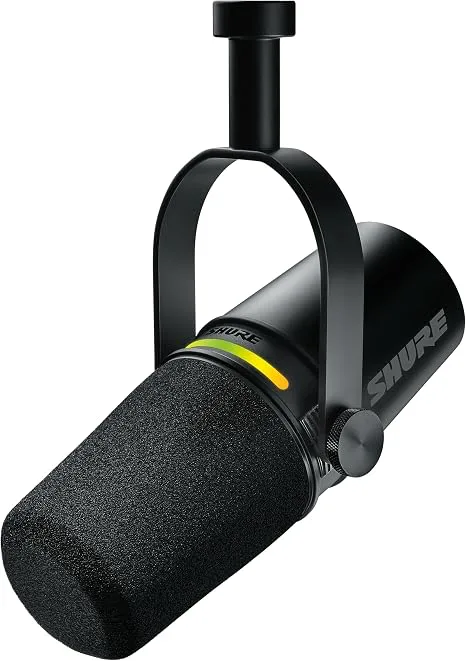
My pick: Shure MV7+
Shure MV7+ (about $299)
The MV7+ is a dynamic microphone. What does that mean? More than you'd think. Dynamic mics pick up what's right in front of them and ignore the rest of the room. Your keyboard, the air conditioner, the dog two rooms over. All of it fades into the background.
But the software that comes with this mic is what really sets it apart. It automatically adjusts the volume of your mic as you move, so you never sound too quiet or too loud. Turn on the real-time Denoiser, and it removes room echo and background noise as you speak. I've tested it against my fully treated studio. You can't tell the difference on a Zoom call.
That's why I tell every coach the same thing. Skip the acoustic panels. Buy this mic, plug it in with the USB-C cable, and you're done. Professional, studio-grade quality. Instantly.
Keep it about a hand's width from your mouth, and you'll sound like you're in the same room as your client.
If the MV7+ stretches your budget, the Shure MV6 (about $169) gives you the same Auto Level and Denoiser features in an even simpler package.
2. Video that looks like you're really there
I've tested a dozen of the newest webcams. Some of them are pretty good. None of them come close to a real camera.
The difference is the lens. A webcam has a tiny sensor and a fixed lens that keeps everything in focus — including all the clutter behind you. A real camera with a decent lens does the opposite. You're tack sharp, and the background falls away into a soft blur. It looks cinematic. It looks like a portrait. And it puts all the attention exactly where it belongs.
To make that work on a video call, you need two things: a camera with clean HDMI output, and a small box that turns that HDMI signal into something your computer sees as a webcam.
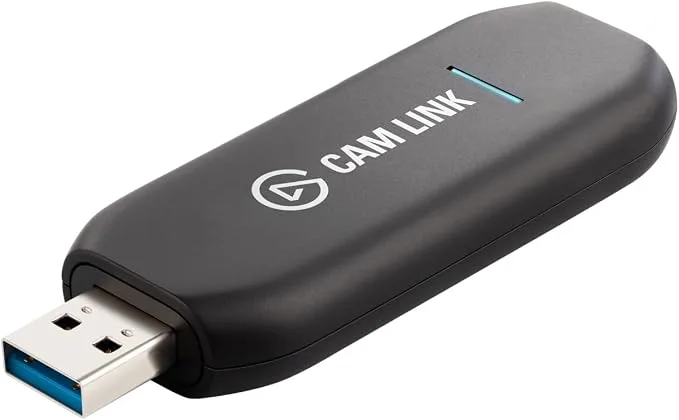
The capture card: Elgato Cam Link 4K
Elgato Cam Link 4K (about $86)
I've used an Elgato HD60 S+ for years, but Elgato has since replaced it with newer models. For video calls, the one you want is the Cam Link 4K. It does one thing. Camera in, computer out. Plug your camera's HDMI into the Cam Link, plug the Cam Link into a USB port, and your camera shows up in Zoom like any other webcam. No drivers to install, no settings to fiddle with.
It supports 1080p at 60 frames per second, which is more than Zoom will ever send anyway.
The camera: Sony ZV-E10
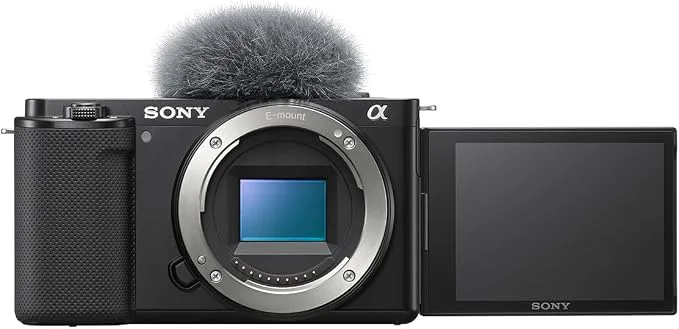
Sony ZV-E10 (about $798, body only)
I use a Fujifilm X100VI, and I love it. I also know it's out of reach for most folks. So I went looking for the camera I'd recommend to a coach who wants that same look for a lot less money.
The Sony ZV-E10 is the one. I've experimented with it, and Sony built it for content creators, so it has a large APS-C sensor and real-time Eye AF. That's the feature you'll appreciate most on a call, because the camera locks onto your eyes and keeps your face sharp, even when you lean in or sit back.
Sony has since released a Mark II version, but on a video call you won't notice the difference, and the original costs hundreds less. Skip the kit lens bundle. You'll want a better lens, and I'll get to that in a second.
Two small things you'll need with it: a micro HDMI cable to connect it to the Cam Link, and a USB-C power supply so the battery never dies mid-session.
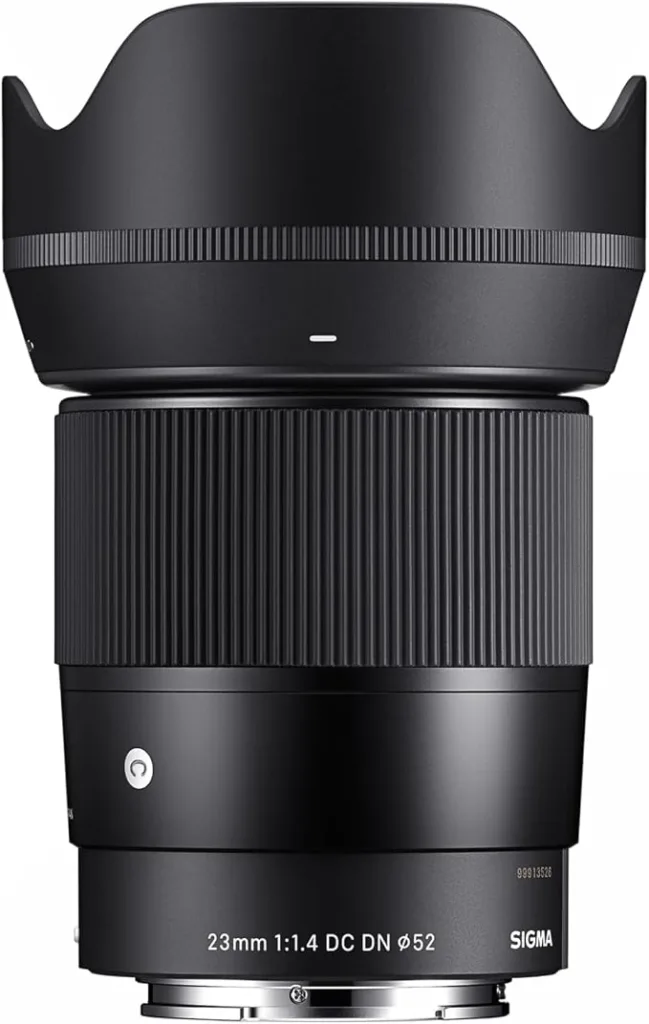
The lens: Sigma 23mm f/1.4
Sigma 23mm f/1.4 DC DN for Sony E-mount (about $659)
This is where the cinematic look comes from. The f/1.4 aperture lets in a lot of light and creates that soft, blurred background. And 23mm gives you a tighter, more flattering frame than a wide-angle lens. On a video call, your client wants to see your face, not a panoramic view of your entire office.
3. Lighting is the real magic
People compliment my camera. But what they're seeing is the lighting.
You can put a $3,000 camera in a dim room and it'll look mediocre. You can put a decent camera in a well-lit room and it'll look fantastic. If you're going to invest anywhere, invest here first.
The tried-and-true approach is called three-point lighting, and it's been the standard in film and television for a century. Three light sources, each with a specific job.
- Key light. Your main light. It's the brightest, and it sits off to one side so your face has gentle shape and dimension instead of looking flat.
- Fill light. A softer light on the opposite side. It fills in the shadows the key light creates, so you don't end up with half your face in darkness.
- Back light. A light behind and above you that catches your hair and shoulders. It creates a subtle rim of light that separates you from the background, so you don't blend into the wall.
That's exactly how my studio is set up.
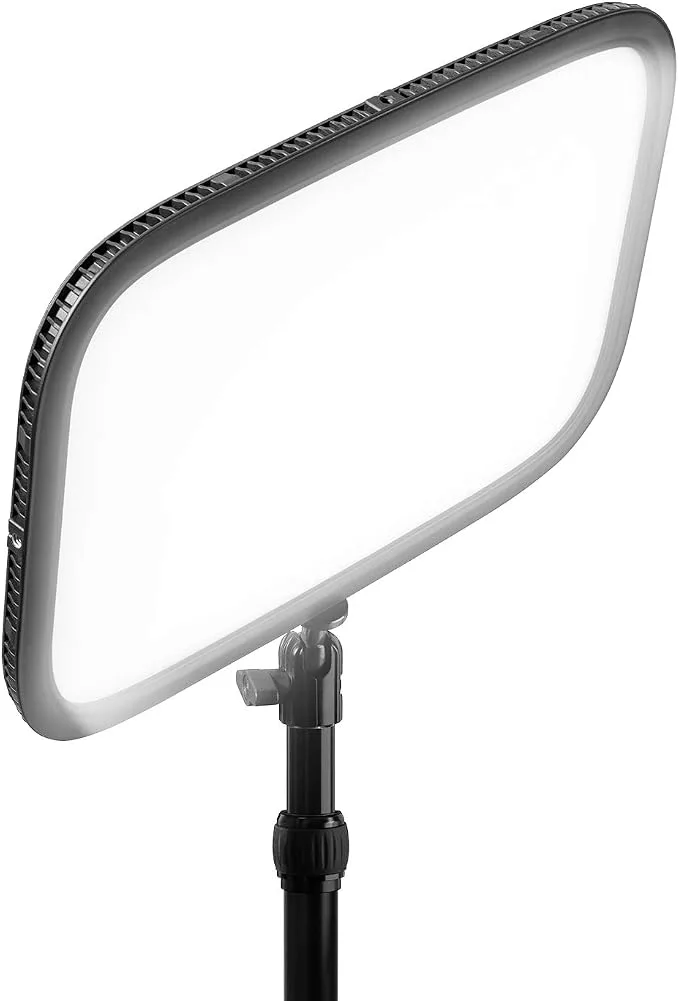
Key light: Elgato Key Light
Elgato Key Light (about $179)
My key light sits at 45 degrees to my left, a little higher than eye level. That height matters if you wear glasses. Light coming from above the lens line doesn't bounce back into the camera, so no glare.
The Key Light is a big, soft LED panel you control from your phone or desktop. You can dial in the brightness and color temperature, and it remembers your settings. Set it once and forget it.
Getting started: The Elgato Key Light Air MK.2 (about $139) is the smaller, less expensive version. I used the original Key Light Air for years before I upgraded, and the new MK.2 is brighter than the one I had. It's plenty for a home office.
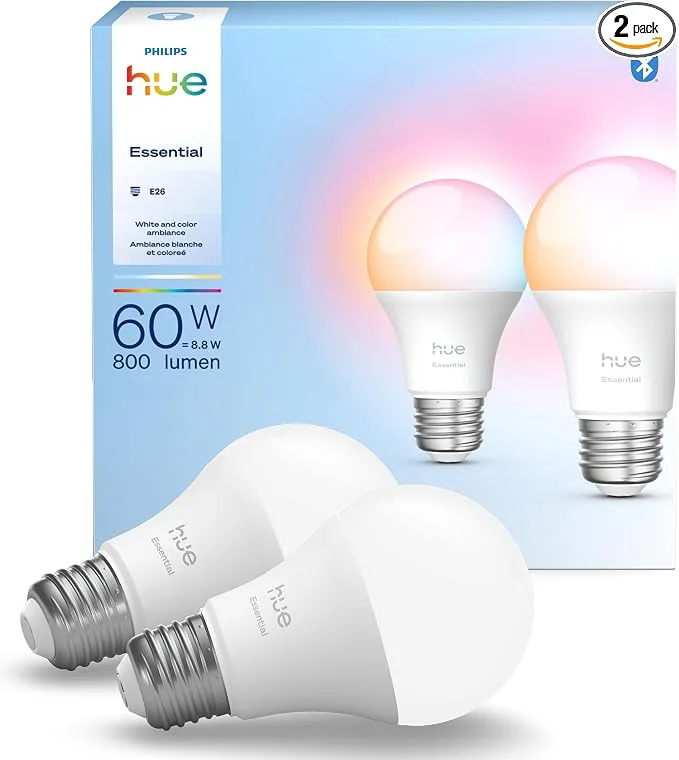
Fill light: a lamp with a Philips Hue bulb
Philips Hue White and Color Ambiance bulbs (about $38)
On my right side, at about 45 degrees and also a little above eye level, I have an ordinary lamp with a Philips Hue bulb in it. From the Hue app, I can adjust both brightness and color temperature until my skin tone looks accurate on camera.
This is also my favorite budget tip. If you don't want to spring for two Elgato lights, a Hue bulb in a lamp you already own makes a great fill light. Or a great key light, if you're just getting started.
Back light: whatever is already above you
My third light source is a string of overhead track lights behind me. They add just enough light to my hair and shoulders to separate me from the background. You may already have something that works. A ceiling fixture, a floor lamp behind your chair, even a window (as long as it's not directly behind you). Experiment until you see a soft edge of light along your shoulders.
4. The one piece of gear that changes everything
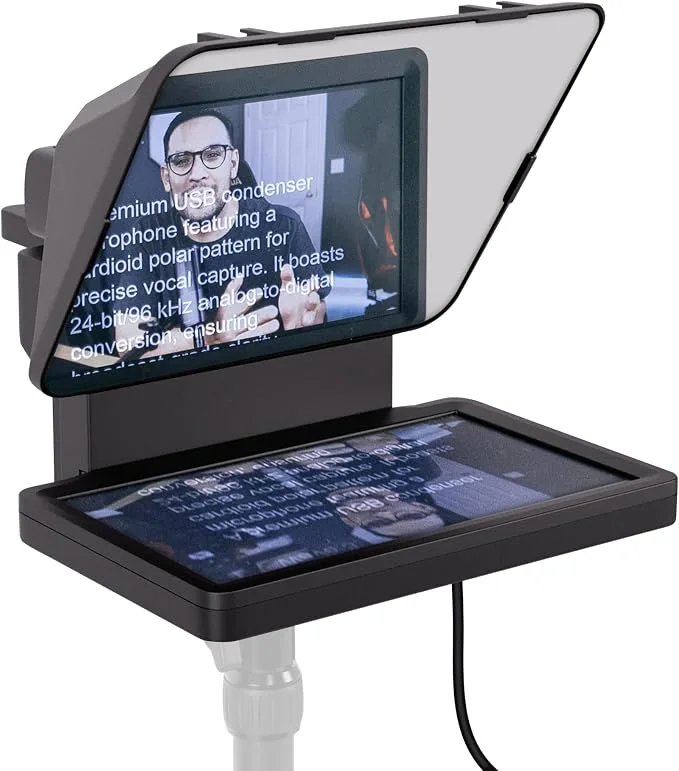
Elgato Prompter (about $299)
Everything we've talked about until now makes you look and sound better. This one makes you feel closer.
On a normal video call, you have a choice to make. Look at your client's face on the screen, and you'll be looking slightly down or off to the side. Look into the camera, and you can't see their reactions. Either way, you never quite make eye contact.
The Elgato Prompter fixes that. It's a small screen with a piece of angled glass in front of it. My camera sits behind the glass. Zoom's video feed shows up on the Prompter's screen, right in line with the lens. So when I look at my client's face, I'm looking straight into the camera. From their side, I'm looking directly into their eyes for the entire session.
For a coach, this is the next best thing to sitting across the table from someone. Your client feels seen, because you're looking right at them. And you get to read every change in their expression as it happens.
As a bonus, it doubles as a teleprompter. When I record talking-head videos, I load my script into the Prompter and read it while looking straight into the lens.
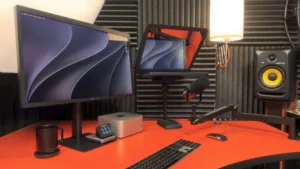
You'll notice in the photo at the top that I recently upgraded to the Prompter XL, but at twice the price, it's overkill if you're using it up close on your desktop. I upgraded so I could split the screen, Zoom call on the left, my notes on the right, while still maintaining eye contact.
The full video call setup, at two price points
If you want the best…
| Gear | Product | About |
|---|---|---|
| Microphone | Shure MV7+ | $299 |
| Capture card | Elgato Cam Link 4K | $86 |
| Camera | Sony ZV-E10 | $798 |
| Lens | Sigma 23mm f/1.4 | $659 |
| Key light | Elgato Key Light | $179 |
| Fill light | Lamp with Philips Hue bulb (2-pack) | $38 |
| Eye contact | Elgato Prompter | $299 |
| Total | $2,358 |
If you're getting started…
| Gear | Product | About |
|---|---|---|
| Microphone | Shure MV6 | $169 |
| Capture card | Elgato Cam Link 4K | $86 |
| Camera | Sony ZV-E10 | $798 |
| Lens | Sigma 23mm f/1.4 | $659 |
| Key light | Elgato Key Light Air MK.2 | $139 |
| Fill light | Lamp with Philips Hue bulb (2-pack) | $38 |
| Total | $1,889 |
If you can't do it all at once, don't worry! Start with the mic. Then add the lights. The camera can wait until you're ready. Each piece makes a difference on its own, and you'll notice it in the very next call.
One final thought
I've been working in audio and video for nearly 40 years. I've mixed live concert sound, built and run a commercial recording studio, and recorded more than 1,500 tutorial videos over the past 18 years. And I've spent more on gear during that time than I'd like to admit. What I've learned is that none of it matters on its own. It only matters because of what it does for the person on the other end.
When your client can see you clearly, hear you clearly, and feel you looking right at them, something changes profoundly. The technology becomes invisible. What's left is two people, fully present, in a meaningful conversation.
That's worth a few hundred dollars and an afternoon of setup.
I hope this helps, but if you've got questions about your own setup, or you'd just like to nerd out about gear for a few minutes, I'd love to chat. Grab a time here, and I'll be happy to walk you through it. I love helping people look and sound their best so they can do the work that matters most.

Leave a Reply